









































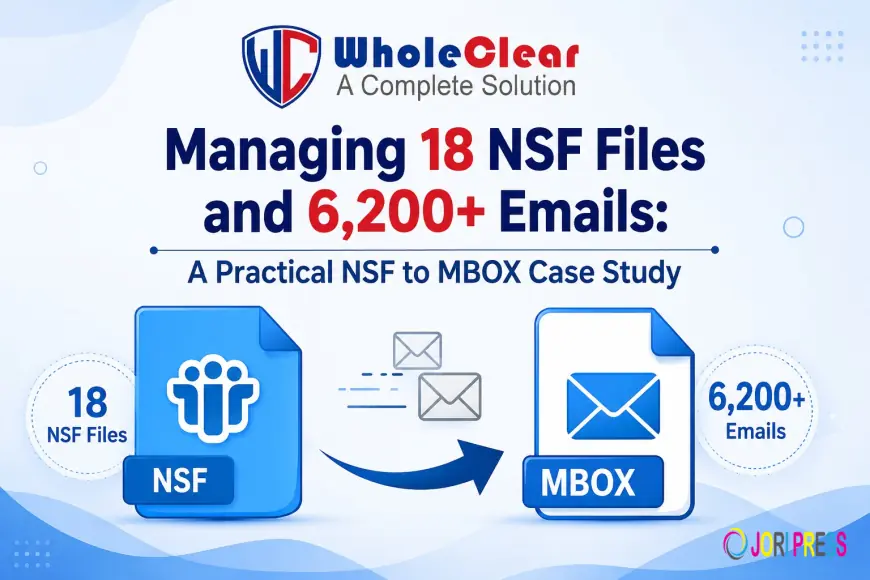
Managing 18 NSF Files and 6,200+ Emails: A Practical NSF to MBOX Case Study

Introduction
One of the biggest challenges for IT teams and businesses is moving legacy email data from one desktop client or platform to another. IBM Lotus Notes (HCL Notes) stores mailbox items in its own NSF (Notes Storage Facility) files. The MBOX file format is flexible and is used by most modern open-source or widely compatible desktop email clients: Mozilla Thunderbird, Apple Mail, Eudora, etc.
When an organization is looking to migrate away from Lotus Notes, the number one priority is to safely move the mailbox data without losing critical attachments or changing metadata. This case study describes a real migration of 18 NSF files with over 6,200 emails. We will go over the issues we encountered and the solution we implemented to achieve a successful migration.
What are the lessons for other users from this case study?
If you are searching for a perfect solution to migrate Lotus Notes to Thunderbird, Apple Mail, or any other MBOX-supported client, then this case study provides practical insight into:
-
Convert Multiple NSF Files at Once: Techniques to convert multiple NSF Files without any manual intervention.
-
Data Integrity in the Conversion: Folder Hierarchy, Inline Formatting & Attachments Preserved
-
Risk mitigation: The importance of pre-conversion preview features to validate mailbox structure before export.
Abstracts of Case Study Projects
The organization was building an ever-growing archive of Lotus Notes email data, spread across 18 separate NSF files, containing over 6,200 emails with attachments. The aim was simple: get the whole repository into standard MBOX format so team members can get at historic communication in an MBOX-supporting email client.
The number of items made it inefficient to process each NSF file separately or via native export procedures that could potentially corrupt the data.
The Problem
The project faced three main operational challenges:
-
Multi-File Management: This feature allows processing of 18 different NSF files at a time without contaminating mailbox folders.
-
Large Volume & Attachments: Capacity to process thousands of email conversations without corrupting any header properties such as To, From, Subject, Date, etc., and maintaining inline attachments.
-
Validation Before Conversion: The migration team needed an easy way to preview the mailbox folder trees and email lists before doing the final export to verify that the data was accurate.
The Answer
To fulfill these technical requirements, the team chose WholeClear NSF to MBOX Converter. The utility offers an easy way to scan, load, preview, and batch convert NSF archives to MBOX files without the need for complex server environments or much technical setup.
What is WholeClear NSF to MBOX Converter Tool?
WholeClear NSF to MBOX Converter is a specialized migration tool that instantly migrates emails, attachments, and folders from IBM/HCL Lotus Notes NSF files to a common MBOX format. It is built with an intuitive graphical user interface so that technical or non-technical users can easily perform batch email migrations.
How the software solves the problem
The limitations of the native software eliminate the migration bottlenecks of the WholeClear utility. It scans the raw NSF file structure, parses all inner items, and converts them to MBOX-compliant data streams. This removes the need for copy-paste and complex scripts, thus reducing the total migration time and human error in batch processing.
Main Features
-
Batch Conversion Support: Lets you convert multiple NSF files to MBOX format in one go.
-
Data integrity preservation: Email header metadata (To, From, Cc, Bcc, Sent/Received Date) and inline attachments are preserved.
-
Keeps Folder Hierarchy: The software maintains the original folder and sub-folder hierarchy in resultant MBOX files.
-
Preview Panel: Allows you to preview the whole mailbox content (folders, messages, body text) before export.
-
High Compatibility: It creates MBOX files that are supported by Thunderbird, Apple Mail, Postbox, and many others and is compatible with all the major versions of the Windows Operating System.
Conversion Procedure
The software interface makes the conversion a six-step process:
1. Download and install the prerequisite Lotus Notes
Run WholeClear NSF to MBOX Converter on a Windows-based operating system.

2. Select and Upload NSF Files:
Click the file selection button, browse to the 18 target NSF files, and load them into the software wizard.

3. Preview & Scan Mailbox Data
Allow the tool to scan the files itself. Preview all 6200+ emails and folder hierarchy in the Preview window.

4. Select Export Format:
Choose MBOX as the export option for the output file format.

5. Path to Destination:
Choose the location on your local or network storage to save the converted MBOX files.

6. Transformations:
Click Convert Now to begin a batch export. Watch the progress indicator until it is finished.

Results and discussion
-
100% Data Integrity: All 18 NSF files and 6,200+ emails were converted successfully without any data loss or truncation of any message.
-
Organization Fully Preserved: The MBOX files that were outputted kept the original folder structures and internal attachment linkages.
-
Time Savings: Automated batch scanning eliminated the hours of manual labor that would have been required using native export workflows.
-
Instant Client Compatibility: The resultant MBOX archives were successfully imported into MBOX-supported desktop clients without any formatting issues.
Short Summery
In this article, we will show you how one organization migrated 18 NSF files with 6200+ emails to MBOX format using WholeClear NSF to MBOX Converter. The software supported batch processing, maintained folder structure and metadata, and offered a safe preview before export.
Conclusion And CTA
No more multi-day nightmare of moving complex Lotus Notes archives with the risk of losing data. This case study shows that a dedicated converter tool such as WholeClear guarantees a fast, well-organized, and accurate email migration, whether it is a few archives or thousands of critical corporate emails.
Prepare for an easy Lotus Notes migration
? Download WholeClear NSF to MBOX Converter Now and Get a Free Trial Version to Preview Mailbox Items Instantly!
FAQs (Frequently Asked Questions)
Q1: Do I need to have IBM/HCL Lotus Notes installed on my machine for this conversion process?
Yes, NSF conversion tools often require a basic Lotus Notes installation/configuration to read and extract data from localnsf files safely.
Q2: Are the email attachments attached to the messages in the MBOX file as well?
Yes, WholeClear NSF to MBOX Converter saves all embedded attachments, inline images & formatting as they were in the original NSF messages.
Q3: How to Migrate Multiple NSF Files in Batch?
Yes, the software has a batch conversion mode, so you can load and convert multiple NSF files at one time.
Q4: What email clients can read the MBOX output files?
The software produces MBOX files compatible with multiple email clients, including Mozilla Thunderbird, Apple Mail, Eudora, Entourage, SeaMonkey, and Opera Mail.
What's Your Reaction?
 Like
0
Like
0
 Dislike
0
Dislike
0
 Love
0
Love
0
 Funny
0
Funny
0
 Angry
0
Angry
0
 Sad
0
Sad
0
 Wow
0
Wow
0