









































LCD Display Screen: Reliable Solutions for Modern Electronic Devices
Explore LCD display screen technology, key benefits, applications, and selection tips to find reliable display solutions for industrial, commercial, and consumer electronic devices.

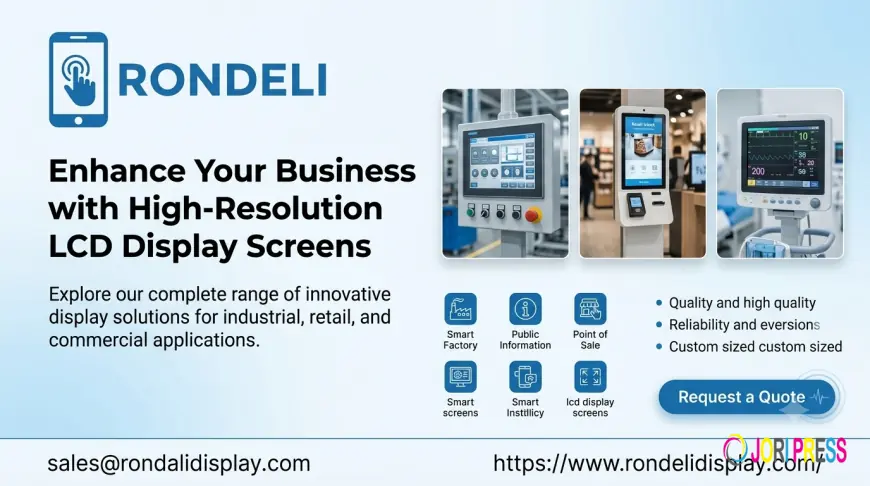
Introduction to LCD Display Screen Technology
An LCD display screen is an essential component in modern electronic devices, providing clear visuals, readable information, and efficient performance. LCD stands for Liquid Crystal Display, a technology that uses liquid crystals and a backlight to produce images, text, and graphics. From industrial equipment and medical instruments to consumer electronics and smart control systems, LCD technology supports a wide range of applications.
As businesses continue to develop smarter and more compact electronic products, choosing the right display solution has become increasingly important. A suitable display can improve usability, enhance product functionality, and deliver a better user experience.
How Does an LCD Display Screen Work?
An LCD works by controlling how light passes through a layer of liquid crystals. Unlike technologies that generate their own light, most LCD panels use a backlight to illuminate the screen. The liquid crystals adjust the passage of light, while color filters and pixel arrangements help create the required images.
The main components of an LCD display include:
-
Liquid crystal layer: Controls the transmission of light through individual pixels.
-
Backlight system: Provides illumination for screen visibility.
-
Color filters: Produce red, green, and blue colors for full-color images.
-
Control electronics: Manage image signals and display operation.
-
Protective layers: Help protect the display from environmental and physical damage, depending on its construction.
These components work together to deliver readable text, detailed graphics, and consistent visual information across different electronic applications.
Key Benefits of Modern LCD Display Screens
Clear and Readable Visual Performance
Display clarity is essential for devices that communicate important information. LCD technology can provide sharp text, detailed graphics, and clear images when the resolution, brightness, and viewing angle are properly matched to the application.
Energy-Efficient Operation
LCD modules can offer efficient power consumption, making them suitable for battery-powered products and continuously operating equipment. Actual energy use depends on screen size, backlight brightness, resolution, and the supporting electronics.
Flexible Design Options
LCD displays are available in various sizes, resolutions, shapes, and configurations. Manufacturers can select compact screens for portable instruments, wide displays for control panels, or specialized formats for products with limited installation space.
Reliable Performance
When appropriately selected and integrated, LCD modules can support dependable operation in industrial, commercial, and consumer environments. Features such as suitable operating-temperature ranges, protective glass, and optical bonding can further improve performance in specific applications.
Common Applications of LCD Display Screens
Industrial Equipment and Automation
Industrial machines often require displays to show operating parameters, production data, warnings, and equipment status. LCD screens can be integrated into control panels, measurement instruments, automation systems, and monitoring devices.
For these applications, buyers should evaluate operating temperature, brightness, viewing angle, interface compatibility, and expected service life.
Medical Devices
Medical instruments use displays to present measurements, settings, and diagnostic information. Depending on the device, requirements may include high readability, accurate image presentation, and dependable operation.
The display must meet the technical and regulatory requirements of its intended medical application.
Consumer Electronics
Household appliances, handheld devices, digital instruments, and other electronic products use LCD technology to provide accessible interfaces. Compact dimensions and a range of display specifications make LCD modules suitable for many product designs.
Automotive and Transportation Systems
LCD screens can display navigation information, vehicle status, climate settings, and other operational data. Automotive applications require careful consideration of temperature tolerance, sunlight readability, vibration resistance, and product qualification requirements.
Commercial and Retail Equipment
Point-of-sale terminals, information kiosks, vending machines, and digital control systems use displays to communicate instructions and transaction details. The appropriate brightness and screen configuration depend on the lighting conditions and intended user interaction.
How to Choose the Right LCD Display Screen
Selecting the right display involves more than comparing screen sizes. Product developers and purchasing teams should consider the following factors.
1. Screen Size and Resolution
Choose a screen size that fits the device enclosure and provides enough space for the information being displayed. Resolution should match the level of detail required by the interface.
2. Brightness and Viewing Angle
Indoor equipment may work well with standard brightness, while outdoor or brightly illuminated environments may require a high-brightness display. Viewing-angle requirements are particularly important when users observe the screen from different positions.
3. Interface Compatibility
Check whether the display supports the interface required by the host system. Common options include RGB, LVDS, MIPI DSI, SPI, and parallel interfaces, depending on the display type and application.
4. Touchscreen Requirements
If users need to interact directly with the display, consider a touch-enabled module. Resistive and capacitive touch technologies serve different needs. Capacitive touchscreens commonly support responsive multi-touch operation, while resistive options may suit applications requiring pressure-based input or compatibility with certain styluses.
5. Environmental Conditions
Review the required operating and storage temperatures, humidity exposure, vibration levels, and potential impact. Industrial and outdoor products may need additional protection or specialized display configurations.
6. Cost and Long-Term Availability
Evaluate the total cost of integration, including the display module, controller, cables, mounting components, and any touch or optical enhancements. For commercial production, also consider supply continuity, customization options, and product lifecycle support.
LCD Display Screen vs. Other Display Technologies
Different display technologies offer different advantages. The best option depends on the device's requirements rather than a single universal performance measure.
| Feature | LCD | OLED |
|---|---|---|
| Image generation | Uses liquid crystals and typically a backlight | Uses self-emissive pixels |
| Black levels | Depend on the LCD panel and backlight design | Can produce very deep blacks |
| Brightness | Varies by panel and backlight | Varies by panel and technology |
| Burn-in risk | Generally low for typical static content | Possible with prolonged display of static content |
| Application suitability | Broad range of industrial and commercial products | Consumer electronics and specialized applications |
An LCD display may be a practical choice when product requirements prioritize established integration options, a suitable cost structure, and dependable performance. OLED may be preferable when deep blacks or specific image-quality characteristics are especially important.
Emerging Trends in LCD Display Technology
LCD technology continues to evolve to meet changing product requirements. Improvements in backlighting, optical films, panel resolution, and touch integration help manufacturers develop more capable electronic devices.
High-brightness displays support applications exposed to strong ambient light, while wide-format and bar-type LCDs help designers use unusual enclosure shapes. Integrated touch panels can simplify user interaction, and improved interface electronics can support more advanced embedded systems.
For product developers, the main priority is to match these advancements to measurable needs, including visibility, power consumption, physical dimensions, durability, and overall system cost.
Why Choose RonDeliDisplay for Display Solutions?
When evaluating display suppliers, businesses should look beyond basic product specifications. A reliable sourcing process includes checking technical documentation, available customization, interface support, sample availability, and communication throughout product development.
RonDeliDisplay provides a starting point for exploring display solutions for different electronic applications. Before selecting a module, buyers should confirm its specifications, operating conditions, mechanical dimensions, and compatibility with their hardware.
Working closely with a display supplier during the design stage can help identify integration challenges early and support a smoother transition from prototype development to mass production.
Frequently Asked Questions About LCD Display Screens
1. What is an LCD display screen?
An LCD display screen is an electronic display that uses liquid crystals to control light and produce text, images, and graphics. Most LCD panels require a backlight.
2. What are the main types of LCD displays?
Common types include TFT LCDs, monochrome LCDs, character displays, graphic LCDs, and specialized bar-type LCDs. Each type serves different visual and functional requirements.
3. Where are LCD display screens commonly used?
They are used in industrial equipment, medical instruments, consumer electronics, automotive systems, retail terminals, and many other electronic products.
4. Are LCD display screens energy-efficient?
They can be energy-efficient, although power consumption depends on the screen size, backlight settings, resolution, and operating conditions.
5. What is a TFT LCD display?
A TFT LCD uses thin-film transistor technology to control individual pixels. This enables detailed images and is widely used in color displays for embedded and consumer applications.
6. Can an LCD display screen work outdoors?
Yes. Certain LCD modules are designed for outdoor use. Depending on the environment, they may require high brightness, optical enhancements, suitable temperature ratings, and protective construction.
7. What is the difference between an LCD and a touchscreen?
An LCD displays visual information, while a touchscreen adds an input layer that detects user interaction. An LCD can be combined with resistive or capacitive touch technology.
8. How do I select the right LCD resolution?
Choose a resolution based on screen size, viewing distance, interface complexity, and the level of detail needed. Higher resolution is not always necessary for simple text or status indicators.
9. How long does an LCD display screen last?
Service life varies by panel design, backlight technology, operating temperature, brightness settings, and usage. Consult the manufacturer's specifications for rated lifetime and test conditions.
10. Can LCD displays be customized?
Many LCD modules can be customized or configured for particular requirements, including dimensions, brightness, interface, touch functionality, connectors, and mechanical mounting. Availability depends on the supplier and design.
What's Your Reaction?
 Like
0
Like
0
 Dislike
0
Dislike
0
 Love
0
Love
0
 Funny
0
Funny
0
 Angry
0
Angry
0
 Sad
0
Sad
0
 Wow
0
Wow
0