









































How to Set Up a Backup Lead Owner When the Assigned Rep Is Unavailable
Learn how to set up a backup lead owner, define reassignment rules, and prevent duplicate outreach when the assigned sales rep is unavailable or off shift.

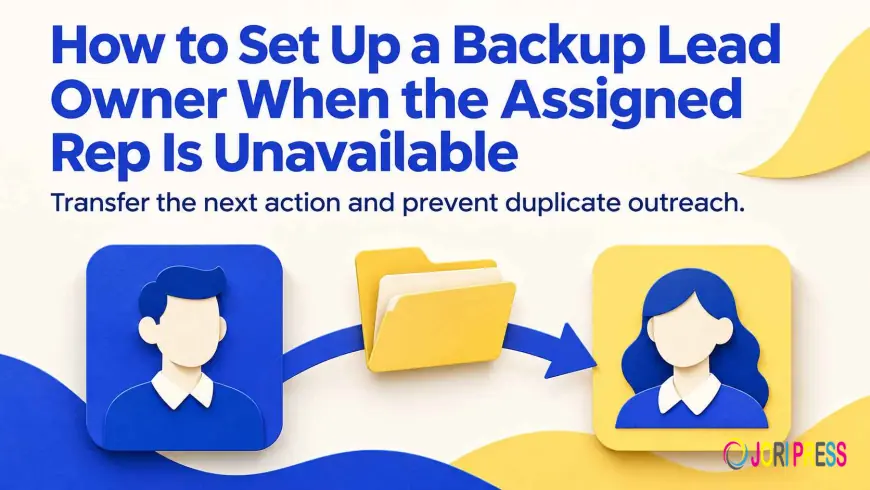
A backup lead owner is the person responsible for the next sales action when the primary rep cannot respond. The backup might return a call, answer a quote request, or book an estimate. A reliable handoff gives that person a deadline and enough context to act. It also makes it clear who owns the inquiry so two reps do not contact the same prospect.
Businesses using automated lead follow up can build backup ownership into the same workflow that assigns new inquiries. The workflow needs to handle both known absences, such as a scheduled day off, and missed handoffs, such as a rep who is on duty but cannot respond before the deadline.
Define When the Backup Lead Owner Takes Over
If the team already knows the primary rep is unavailable, the inquiry can go directly to the backup. That rule works for planned leave, shift changes, and other scheduled gaps. For unexpected delays, the workflow can wait until a defined checkpoint, then check whether the assigned rep has taken the required action.
The checkpoint should leave the backup enough time to respond. For example, a company testing a 15-minute response target for staffed-hours quote requests might check at minute five and reassign at minute eight. That leaves the backup seven minutes to review the inquiry and reply. The exact thresholds should reflect staffing and how long the first action typically takes.
The business also needs to define what stops the escalation. A generic automated acknowledgment may confirm receipt, while the response target may require a logged call attempt or a personalized reply. If a rep merely opens the record, the task can still need action. If the prospect books on their own, the follow-up may need to switch from making contact to confirming the booking.
Choose a Backup Who Can Complete the Next Step
The backup should be able to handle the service, territory, and booking requirements of the inquiry. For a home services company, one coordinator might cover repair estimates in two ZIP codes, while another handles installations. Availability alone cannot tell the workflow who can help the customer.
| Situation | Backup ownership rule |
|---|---|
| The primary rep is on planned leave | Assign the inquiry directly to the designated backup for that shift. |
| The primary rep misses the first-response checkpoint | Reassign the open task to an eligible backup after checking for recent activity. |
| No rep in the original territory can act | Route the inquiry to a named intake owner who can verify coverage and explain the next step. |
| The prospect is already speaking with the primary rep | Retain the existing owner unless the rep requests a handoff or a new deadline is at risk. |
| The inquiry arrives outside staffed hours | Assign it to the next-shift queue or to an on-call owner if the business provides that coverage. |
A small team may only need one named backup per shift. A multi-location business may need a coverage list by service, location, and business hours. In either case, a shared queue should have a person assigned to monitor it. Otherwise, moving the lead to the queue can leave the original problem unresolved.
Configure the CRM Handoff in the Right Order
A backup assignment should update the record, transfer the next action, and notify the person who can act. In HighLevel, the Assign to User workflow action can run before an Internal Notification directed to the assigned user. That order matters when the alert is supposed to reach the new owner.
A practical lead response automation sequence can follow five steps:
- Assign the primary owner or the scheduled backup. Use the service, territory, and coverage rules that apply when the inquiry arrives.
- Create a task with a response deadline. Include the original submission time so reassignment does not reset how long the customer has been waiting.
- Check for a qualifying response before escalating. Look for the agreed event, such as a logged callback attempt, a reply, or a completed booking.
- Transfer the next action and notify the backup. Update ownership where needed, remove or close the old task, and send the backup a link to the record.
- Flag the inquiry if both owners miss the deadline. Send it to a manager or a staffed intake queue with enough information to act.
The notification should tell the backup what the prospect requested, what has already been sent, and what action is due. If the lead is already in an active conversation, that context helps the backup continue it without asking the prospect to repeat the request.
Prevent Duplicate Outreach During Reassignment
Suppose a roofing company receives a quote request at 10:00 a.m. The primary rep is finishing a site visit and has not called by the 10:08 checkpoint. The CRM assigns the callback to the backup, clears the primary rep’s open task, and sends the backup the quote details. The backup calls at 10:11. Reporting still measures the response from 10:00, when the customer submitted the form.
Now suppose the primary rep logs a call at 10:07. The workflow’s final check should see that activity and skip reassignment if the call met the team’s response rule. If the prospect did not answer and another attempt is needed, the next task can follow the business’s normal follow-up schedule.
Before launch, run both versions of that scenario. Also test what happens when a customer replies to an automated text just before reassignment, when the backup is unavailable, and when a returning customer submits a different request. Check that each inquiry has one active owner and that the right person receives any new reply.
Review the Handoffs That Keep Repeating
Track how many leads go to backup, how long they wait before reassignment, and how often the backup responds within the original deadline. Review those figures by shift and territory. Frequent reassignments during lunch may point to a coverage gap. Reassignments across every shift may indicate that the first-response target is too short or that reps have more open work than they can handle.
The review should also identify inquiries that received duplicate calls or messages. Even a fast handoff needs attention if customers hear from two people with different instructions. Checking the activity history against the assignment history helps the team identify where ownership or task status failed to update.
Conclusion
A backup lead owner needs a clear trigger, enough time to act, and access to the context the primary rep already has. A business working with Funnel Gator or another GoHighLevel Agency can use those requirements to test whether a lead reaches an eligible rep when the first owner is unavailable and whether the customer receives one coordinated response.
FAQs
1. How long should a workflow wait before assigning a backup?
Set the checkpoint early enough to leave the backup time to act before the original response deadline. The right interval depends on inquiry priority, staffing, and the work required for a meaningful response.
2. Should the backup become the permanent lead owner?
That depends on the handoff. A backup may handle one callback during a short absence or take over the entire opportunity during extended leave. The record should show who owns the next action in either case.
3. What if both the primary rep and the backup are unavailable?
Route the inquiry to a staffed central queue or a manager with a defined review deadline. If coverage starts on the next shift, any acknowledgment should give the customer a realistic follow-up window.
4. Should an automated acknowledgment stop backup escalation?
Only if the business’s target is to acknowledge receipt. If the target requires a meaningful reply or call attempt, the backup rule should stay active until that action is recorded.
5. How can a team stop the original rep from calling after reassignment?
Transfer or close the original callback task, update the visible owner, and notify the original rep when needed. Test that any reminders tied to the old task stop after the handoff.
What's Your Reaction?
 Like
0
 Dislike
0
 Love
0
 Funny
0
 Angry
0
 Sad
0
 Wow
0