





































Advanced Diploma in VFX, Motion Graphic & Video Editing With AI: What Software Will You Actually Use?
Curious what software you'll actually learn in an Advanced Diploma in VFX, Motion Graphic & Video Editing With AI? Here's the real toolkit, explained simply.
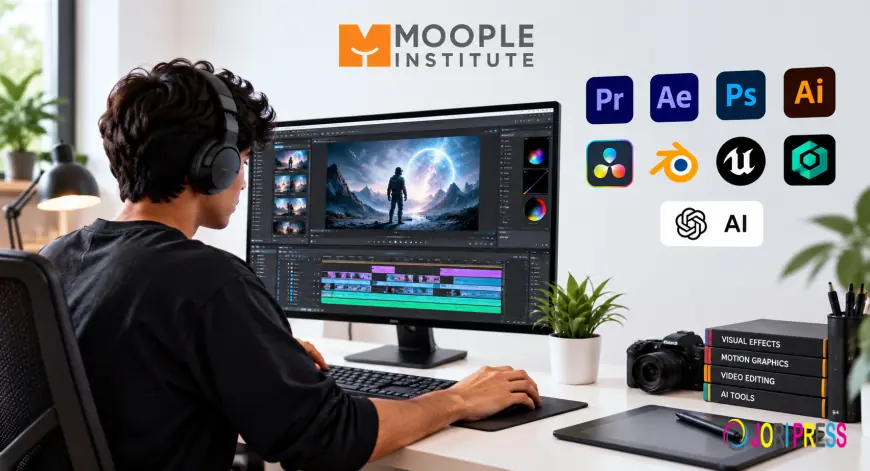
If you're searching for an Advanced Diploma in VFX, Motion Graphic & Video Editing With AI, you've probably already asked the practical question: what will I actually be clicking, dragging, and rendering with every day? Course brochures love to list "industry-standard software," but rarely explain what that means for a beginner sitting down on day one.
This guide breaks down the real toolkit — editing software, VFX compositing tools, motion graphics platforms, and the AI features now reshaping all three — so you know exactly what you're signing up to learn before you enrol.
The Software Toolkit at a Glance
A well-structured Advanced Diploma in VFX, Motion Graphic & Video Editing With AI typically trains students on Adobe Premiere Pro and DaVinci Resolve for editing, Adobe After Effects and Nuke or Blackmagic Fusion for VFX compositing, and Cinema 4D or Blender for 3D motion graphics — alongside AI-assisted tools like Adobe Firefly, Runway, and Premiere's AI-powered rotoscoping and audio features.
Why "Which Software" Is the Wrong First Question
Before diving into tool names, it helps to reframe the question. Software changes every few years. Adobe pushes major updates annually, and AI features are being added to editing timelines faster than most course syllabi can keep up. What doesn't change is the underlying skill: understanding timing, composition, colour, and storytelling.
A student who only learns "which buttons to press" in one version of Premiere Pro struggles the moment a studio uses a different version, or switches to DaVinci Resolve. A student who understands editing principles can pick up any software in a few weeks. That's why a genuinely useful diploma teaches transferable skills first and software second — but it still needs to name the software, because that's what gets you hired.
Core Software You'll Learn
Video Editing Software
Adobe Premiere Pro remains the industry standard across Indian production houses, YouTube studios, and ad agencies. Most diploma programs build the first few months around Premiere Pro because employers expect it by default. A genuine adobe premiere pro video editing course module should cover multi-cam editing, colour grading with Lumetri, audio mixing, and export settings for different platforms — not just cutting clips.
DaVinci Resolve is increasingly taught alongside Premiere Pro because its colour-grading engine (originally built for Hollywood colourists) is considered superior, and it's free to start with. Many working editors now use Resolve for grading even if they cut in Premiere.
VFX Compositing Software
Adobe After Effects is where motion graphics and basic VFX (compositing, tracking, keying green screens) are taught. It's the entry point most institutes use because it integrates directly with Premiere Pro.
For advanced VFX — the kind used in film and high-end commercials — programs introduce Nuke or Blackmagic Fusion, node-based compositing tools used in professional VFX pipelines. These aren't beginner-friendly, which is exactly why they belong in an "advanced" diploma rather than a basic one.
3D and Motion Graphics Software
Cinema 4D is the standard for 3D motion graphics — title sequences, product animations, abstract visual effects. It pairs directly with After Effects through Cineware.
Blender, being free and open-source, has become common in Indian training programs too, especially for students who want 3D modelling and animation skills without software licensing costs.
AI Tools Now Built Into the Workflow
This is the part most course descriptions gloss over. "With AI" shouldn't just mean a marketing tagline — it should mean specific, teachable features:
- AI-assisted rotoscoping and object tracking in After Effects and Resolve, which used to take hours of manual masking and now takes minutes.
- Adobe Firefly and Generative Fill, used for quick background generation, object removal, and asset creation within existing Adobe workflows.
- AI audio tools like automatic dialogue cleanup, text-based editing (editing video by editing a transcript), and AI voice enhancement — now standard in Premiere Pro.
- Runway and similar generative video tools, increasingly used for concept previsualization and short-form AI-generated b-roll.
A course that genuinely teaches "Video Editing With AI" should show you where these tools speed up real production work, not just demo them once in a promotional video.
Software Comparison Table
| Software | Primary Use | Learning Curve | Industry Adoption |
|---|---|---|---|
| Adobe Premiere Pro | Video editing | Moderate | Very High |
| DaVinci Resolve | Editing & colour grading | Moderate | High, growing |
| Adobe After Effects | Motion graphics & VFX | Moderate-High | Very High |
| Nuke / Fusion | Advanced VFX compositing | High | High (film/VFX studios) |
| Cinema 4D | 3D motion graphics | Moderate-High | High |
| Blender | 3D modelling & animation | Moderate | Growing rapidly |
Common Mistakes Students Make With Software Choices
Many students assume that mastering one tool "does everything," and stop there. This is one of the most common mistakes: an editor who only knows Premiere Pro but has never touched After Effects will struggle when a client asks for even basic motion graphics. Similarly, students sometimes chase the newest AI tool without learning the fundamentals it's built on top of — generative fill is far more useful to someone who already understands compositing and layers.
Another frequent error is ignoring render and export settings entirely. Knowing how to edit is only half the job; understanding codecs, resolutions, and platform-specific export requirements (YouTube versus Instagram versus broadcast) is what separates a hobbyist from someone client-ready.
Expert Tip: How to Actually Get Job-Ready
Software fluency alone doesn't get you hired — a portfolio does. While learning these tools, build 3–4 focused projects: one straight edit (a short film or vlog), one motion graphics piece (a title sequence or explainer), and one VFX composite (green screen or object removal). Employers in Kolkata's growing media and ad-tech scene consistently say they'd rather see three polished, varied projects than a long list of software names on a resume.
If you're evaluating a video editing course after 12th, ask specifically whether the curriculum includes a capstone project using multiple tools together — that's a strong signal of real-world readiness.
FAQs
1. What is the duration of a video editing course with VFX and motion graphics?
Most advanced diploma programs run between 6 to 12 months, depending on whether VFX compositing and 3D motion graphics are included alongside core editing. A video editing course duration of under 3 months typically only covers basic editing, not VFX or AI tools in depth.
2. Do I need a powerful computer to learn this software?
Yes, to an extent. Adobe After Effects and Cinema 4D are demanding on RAM and GPU. Most institutes provide lab systems for this reason, so you don't need to buy expensive hardware before enrolling.
3. Is this suitable as a video editing course for beginners?
An advanced diploma usually assumes no prior experience but moves faster than a pure beginner course. If you've never opened editing software before, look for programs that start with foundational modules before progressing to VFX and AI tools.
4. Will I learn Adobe Premiere Pro specifically, or just general editing theory?
A properly structured professional video editing course should include hands-on Premiere Pro training, not just theory. Ask to see the software list and hours allocated per tool before enrolling.
5. Can I learn all this online, or do I need in-person training?
Both formats exist, but VFX and 3D motion graphics benefit significantly from in-person mentorship, since problems like render errors and tracking failures are easier to troubleshoot with a trainer physically present.
Conclusion
Choosing the right Advanced Diploma in VFX, Motion Graphic & Video Editing With AI comes down to one question: does the syllabus name real, current software — and teach how AI tools fit into that software — rather than vague buzzwords? At Moople Institute, the curriculum is built around Adobe Premiere Pro, After Effects, DaVinci Resolve, Cinema 4D, and current AI-assisted workflows, taught through hands-on projects rather than passive tutorials.
If you're based in Kolkata and serious about a career in editing, VFX, or motion design, it's worth comparing a few institutes on exactly this: software depth, project-based learning, and placement support.
What's Your Reaction?
 Like
0
Like
0
 Dislike
0
Dislike
0
 Love
0
Love
0
 Funny
0
Funny
0
 Angry
0
Angry
0
 Sad
0
Sad
0
 Wow
0
Wow
0