



































DTF Gang Sheet Builder Tool for Perfect Layouts
Professional gang sheet builder software that lets you combine designs, optimize spacing, and create heat-press-ready DTF sheets.

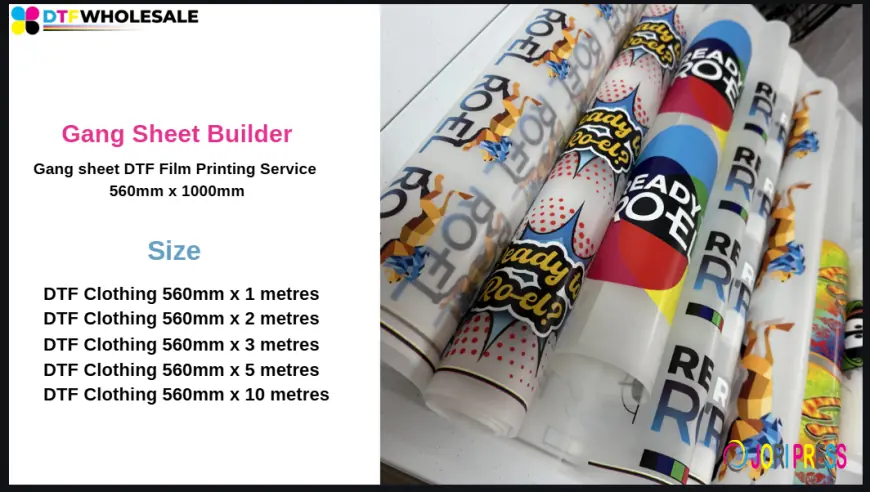
Direct to Film (DTF) printing has transformed the custom apparel industry by making high-quality, full-color transfers accessible, flexible, and efficient. As DTF printing grows, one element has become especially important for achieving consistent results and reducing waste: layout preparation. This is where a DTF Gang Sheet Builder tool for perfect layouts plays a critical role.
A gang sheet builder tool is not just a convenience it is a foundational part of a professional DTF workflow. It helps users organize multiple designs on a single film sheet with precision, ensuring clean prints, easy cutting, and smooth heat application. This article explores the tool in depth, explains how it works, why it matters, how to use it effectively, and clearly outlines its pros and cons.
Understanding DTF Gang Sheets
A gang sheet is a single DTF film sheet that contains multiple designs arranged together. Instead of printing one design per sheet, several logos, graphics, text elements, or different-sized artworks are combined into one layout.
This approach allows printers to:
-
Use film more efficiently
-
Print multiple designs in one run
-
Reduce setup time
-
Simplify cutting and pressing
However, creating a clean and usable gang sheet requires accuracy. Poor spacing, wrong sizing, or misalignment can cause cutting issues and transfer errors. That is why a dedicated builder tool is essential.
What Is a DTF Gang Sheet Builder Tool?
A DTF gang sheet builder tool is a digital layout platform that allows users to upload artwork and arrange it precisely on a virtual canvas that matches the size of the DTF film. These tools are usually web-based or software-based and are designed specifically for DTF printing needs.
With a builder tool, users can:
-
Set exact sheet dimensions
-
Upload multiple design files
-
Resize designs accurately
-
Rotate and align graphics
-
Duplicate designs for quantity control
The result is a press-ready file that can be sent directly to a DTF printer without further adjustments.
Why Layout Precision Is Critical in DTF Printing
DTF printing relies on heat transfer accuracy. Each design must be cut correctly and placed properly on the garment. If layouts are inconsistent or crowded, it increases the risk of mistakes during cutting and pressing.
A properly built gang sheet ensures:
-
Clean separation between designs
-
Uniform margins
-
Correct scaling for garment placement
-
Easier trimming and handling
Precision at the layout stage directly affects final print quality and application speed.
How a DTF Gang Sheet Builder Tool Works
The workflow of a typical Gang Sheet Builder Tool is straightforward and user-friendly:
-
Select Sheet Size
Users choose the film width and length, such as 560mm x 1000mm or custom sizes.
-
Upload Artwork
Designs are uploaded in supported formats, usually PNG with transparent backgrounds or high-resolution PDFs.
-
Arrange Designs
Artwork is placed manually or semi-automatically on the canvas. Users can rotate, resize, and duplicate designs as needed.
-
Adjust Spacing
Proper spacing is maintained to ensure easy cutting and to avoid overlapping.
-
Preview and Export
The final layout is reviewed visually, then exported as a print-ready file.
This controlled process removes guesswork and ensures consistent results.
Key Features That Support Perfect Layouts
A high-quality gang sheet builder tool typically includes features designed specifically for DTF printing accuracy:
-
Measurement guides and rulers
-
Snap-to-grid or alignment tools
-
Duplicate and repeat functions
-
Rotation and mirroring options
-
Real-time layout preview
These features help users build clean, balanced layouts regardless of design complexity.
Suitable for All Skill Levels
One of the strengths of a gang sheet builder tool is its accessibility. Beginners can use it without advanced design knowledge, while experienced printers benefit from speed and precision.
For beginners, visual previews and drag-and-drop controls make layout creation simple. For professionals, advanced controls allow fine-tuning for high-volume production.
This flexibility makes the tool suitable for hobbyists, small print shops, and large-scale production environments alike.
Fabric and Design Versatility
DTF printing supports a wide range of fabrics, including cotton, polyester, blends, fleece, and dark materials. A gang sheet builder tool supports this versatility by allowing mixed design sizes and shapes on the same sheet.
You can place:
-
Small chest logos
-
Large back prints
-
Sleeve graphics
-
Text-based designs
All on one sheet, ready to be applied to different garments efficiently.
Improving Cutting and Heat Press Workflow
A well-organized gang sheet simplifies post-print handling. When designs are evenly spaced and aligned, cutting becomes faster and more accurate.
During heat pressing, operators can quickly identify and apply each design without confusion. This reduces handling time, minimizes errors, and improves consistency across garments.
Pros of Using a DTF Gang Sheet Builder Tool
1. Efficient Film Usage
Combining multiple designs on one sheet reduces wasted film space.
2. Accurate Sizing and Alignment
Built-in measurement tools ensure designs are printed at the correct size.
3. Faster Layout Creation
Compared to manual design software, builder tools significantly reduce preparation time.
4. Reduced Human Error
Visual previews and alignment guides lower the risk of mistakes.
5. Easier Cutting and Application
Clean spacing improves cutting accuracy and heat press efficiency.
6. Consistent Results
Standardized layouts lead to uniform print quality across orders.
Cons of Using a DTF Gang Sheet Builder Tool
1. Limited Advanced Design Editing
Most tools focus on layout, not design creation, so artwork must be prepared beforehand.
2. Learning Curve for New Users
Although user-friendly, first-time users may need time to understand sizing and spacing.
3. Internet Dependency (for Web Tools)
Online tools require a stable internet connection.
4. File Format Restrictions
Some tools support limited file types, which may require design conversion.
5. Over-Reliance on Automation
Improper review of auto-arranged layouts can still lead to spacing or sizing issues.
Best Practices for Perfect Gang Sheet Layouts
To achieve optimal results with a gang sheet builder tool, follow these best practices:
-
Always upload high-resolution artwork
-
Double-check measurements before exporting
-
Leave sufficient spacing between designs
-
Group similar sizes together for easier cutting
-
Review the final layout carefully before printing
These steps ensure smooth production and professional output.
Common Mistakes to Avoid
Even with a powerful tool, mistakes can occur if users rush the process. Common errors include overcrowding designs, ignoring spacing requirements, and using low-resolution images.
Avoid placing designs too close together, as this complicates cutting. Never rely solely on automatic placement without reviewing the layout manually.
The Role of Gang Sheet Builders in Modern DTF Printing
As DTF printing continues to evolve, gang sheet builder tools are becoming standard rather than optional. They bring structure and efficiency to a process that would otherwise be time-consuming and inconsistent.
Modern printing environments depend on repeatability, accuracy, and speed. A builder tool supports all three by standardizing how layouts are created and prepared.
Final Thoughts
A DTF Gang Sheets UK tool for perfect layouts is an essential solution for anyone working with DTF printing. It simplifies layout creation, improves accuracy, and ensures designs are print-ready every time.
What's Your Reaction?
 Like
0
Like
0
 Dislike
0
Dislike
0
 Love
0
Love
0
 Funny
0
Funny
0
 Angry
0
Angry
0
 Sad
0
Sad
0
 Wow
0
Wow
0